Clash Verge自定义配置白名单规则以及gfwlist规则,去广告规则,将境内常用站点加入白名单,自定义规则链接

关于 Clash Verge 自定义配置白名单规则以及 gfwlist 规则,去广告规则,将境内常用站点加入白名单,自定义规则链接

  • 想访问 github.com、chatgpt.com 等网站,需要开着梯子
    但是还需要同时访问国内站点,比如 zhihu、juejin、qianwen 等。有些梯子配置没做过滤,这时候就使用自定义方法根据自己得需求来配置
  • 这里我们可以使用一些 GitHub 上已经做好得规则,比如:https://github.com/Loyalsoldier/clash-rules
  • 当然我们也可以使用 clash 过滤广告,去广告规则:https://github.com/earoftoast/clash-rules

配置步骤

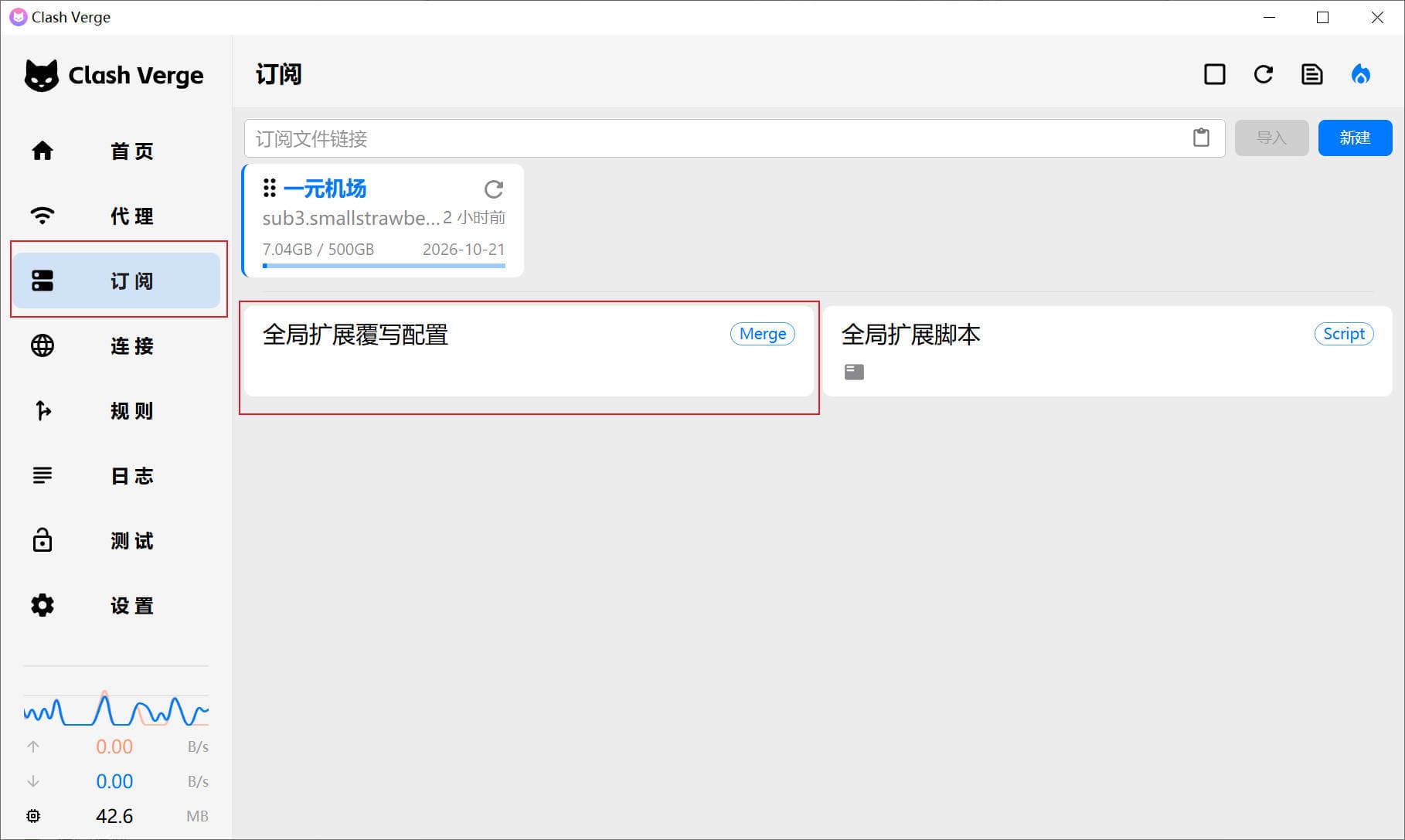
第一步: 在订阅一栏中,编辑“全局拓展复写配置”
alt text

  • 将以下代码直接复制如下内容粘贴 Clash 。
1
2
3
4
5
6
7
8
9
10
11
12
13
14
15
16
17
18
19
20
21
22
23
24
25
26
27
28
29
30
31
32
33
rule-providers:
AD:
type: http
behavior: domain
url: "https://raw.githubusercontent.com/earoftoast/clash-rules/main/AD.yaml"
path: ./rules/AD.yaml
interval: 86400

ProgramAD:
type: http
behavior: domain
url: "https://raw.githubusercontent.com/earoftoast/clash-rules/main/ProgramAD.yaml"
path: ./rules/ProgramAD.yaml
interval: 86400

china_sites:
type: http
behavior: domain
url: "https://raw.githubusercontent.com/Loyalsoldier/clash-rules/release/direct.txt"
path: ./ruleset/china_sites.yaml
interval: 86400
gfw:
type: http
behavior: domain
url: "https://cdn.jsdelivr.net/gh/Loyalsoldier/clash-rules@release/gfw.txt"
path: ./ruleset/gfw.yaml
interval: 86400
proxy:
type: http
behavior: domain
url: "https://cdn.jsdelivr.net/gh/Loyalsoldier/clash-rules@release/proxy.txt"
path: ./ruleset/proxy.yaml
interval: 86400

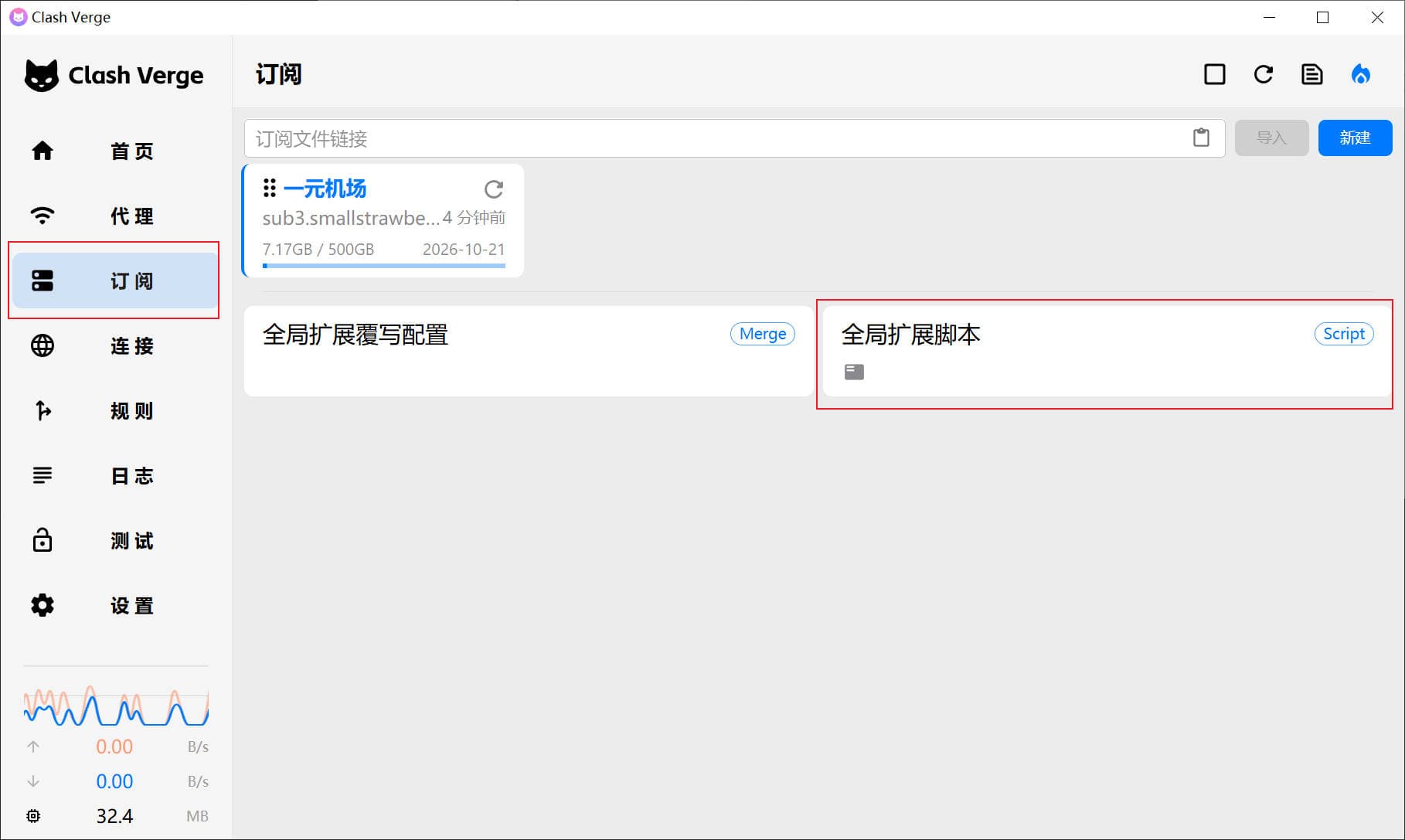
第二步:在订阅一栏中,编辑“全局拓展脚本”

alt text

  • 将以下代码直接复制如下内容粘贴 Clash 保存即可。注:将“一元机场”改成自己的代理名称
1
2
3
4
5
6
7
8
9
10
11
12
13
14
15
16
17
18
19
20
21
// 规则
const newRules = [
// 自定义规则,注:将“一元机场”改成自己的代理名称
"DOMAIN-SUFFIX,linux.do,一元机场",
"RULE-SET,gfw,一元机场",
"RULE-SET,proxy,一元机场",
"RULE-SET,china_sites,DIRECT",
"RULE-SET,AD,REJECT",
"RULE-SET,ProgramAD,REJECT",
];

// 程序入口
function main(config) {
let oldRules = config.rules;

// 将新的规则添加到现有的规则中
config.rules = newRules.concat(oldRules);

// 返回修改后的配置
return config;
}